> For AI agents: the complete documentation index is available at /zh/llms.txt, the full documentation bundle is available at /zh/llms-full.txt.
# Plugin 分析
## 功能概览
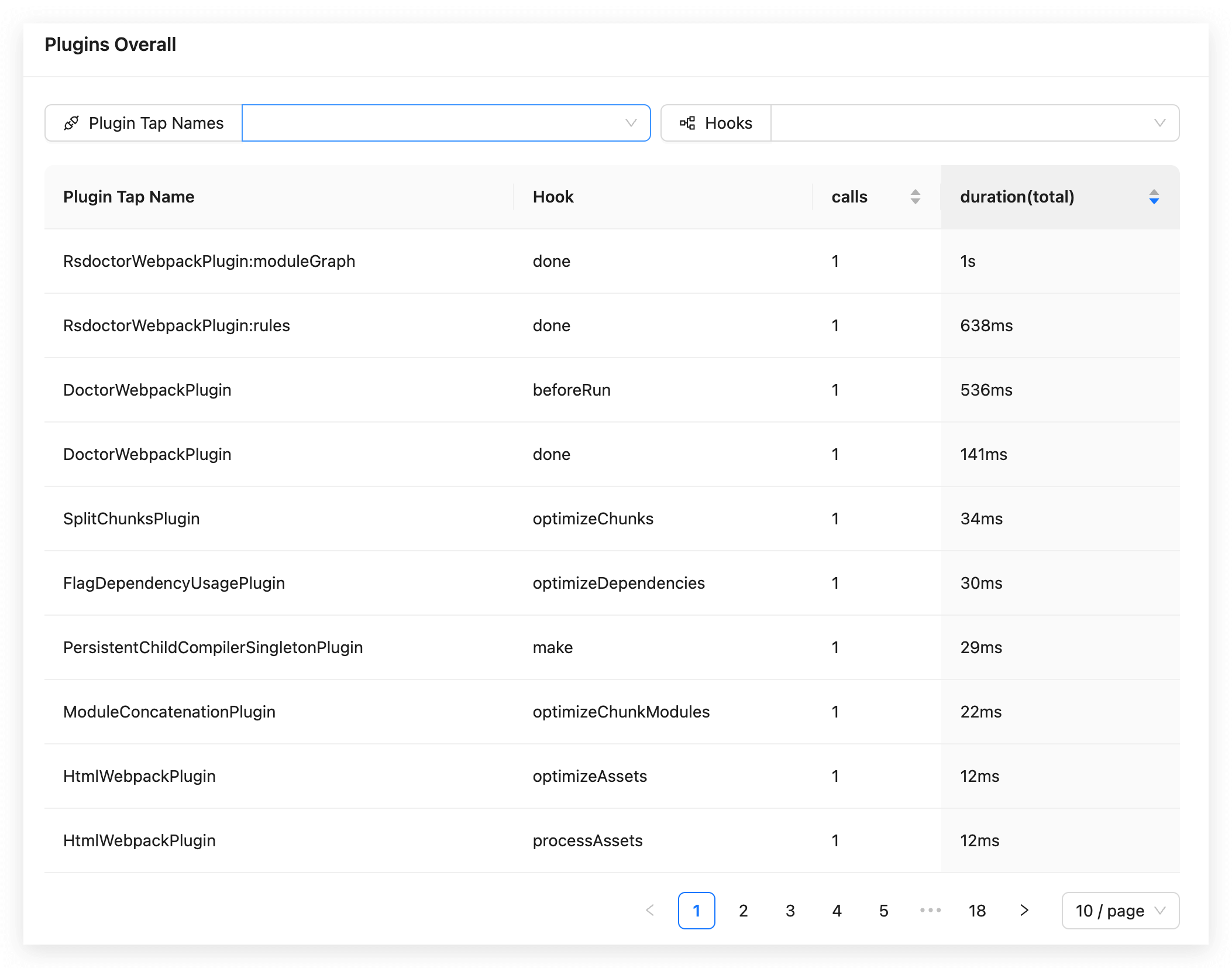
在 **Compile Analysis** 下的 **Plugins Analysis** 页面,可以查看当前 Rspack 项目中 **Compiler Hooks** 和 **Compilation Hooks** 的调用数据:
:::tip
plugin 耗时中会计算 Rsdoctor 的内部插件耗时。
:::
## 名词释义
页面中数据统计表格内的字段含义如下:
| 名词 | 描述说明 |
| ----------------------------- | ------------------------------------------------------------------------------- |
| Plugin Tap Name | 代表 [.tap 调用时的 name 值](https://github.com/webpack/tapable#hookhookmap-interface) |
| Hook | 代表 **hook 名称** |
| calls | 代表 **被调用的次数** |
| duration(total) | 代表 **所有调用次数的时间总和** |
## 使用说明
### View Rspack config
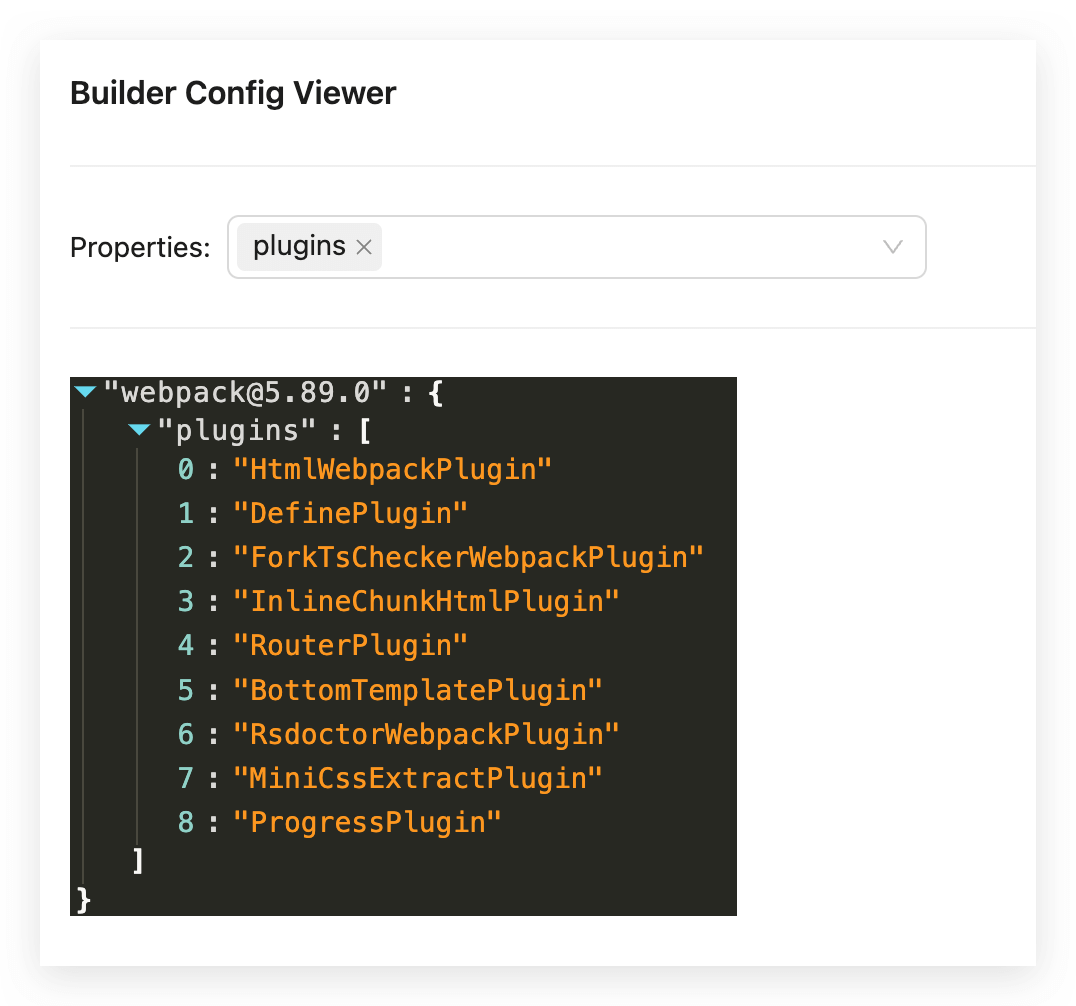
如需查看项目的 Rspack 配置,请点击卡片右上角的 `View Rspack Config`。弹出的面板会展示序列化后的 **Rspack Config**:
## 参考文档
- [**Rspack Hooks**](https://rspack.rs/api/plugin-api/compiler-hooks#beforecompile)