> For AI agents: the complete documentation index is available at /llms.txt, the full documentation bundle is available at /llms-full.txt.
# Bundle diff
Version: 0.4.5
We provide the Bundle Diff feature, which allows you to compare and analyze the changes between two build bundles.
Currently, we offer the following usage methods:
- [Open the report locally with CLI](/guide/start/cli.md)
- [Generate a JSON report with CLI](#generate-a-json-report-with-cli)
- Online upload analysis (planned support)
## Usage
### Open the report locally with CLI
First, you need to prepare **2 copies** of the [manifest.json](/config/options/term.md#manifestjson) produced by Rsdoctor. Then, install [@rsdoctor/cli](/guide/start/cli.md#cli-tutorial) and use the CLI command `bundle-diff`. For detailed command usage, see [command usage tutorial](/guide/start/cli.md#bundle-diff-command).
### Generate a JSON report with CLI
Use the `--json [path]` option to generate a structured diff report without starting the report server or opening the browser:
```bash
rsdoctor bundle-diff \
--baseline="baseline/.rsdoctor/manifest.json" \
--current="current/.rsdoctor/manifest.json" \
--json="result.json"
```
If you omit the path after `--json`, the report is saved as `rsdoctor-diff.json`. The report contains `assets`, `modules`, and `packages` diff data, which can be consumed in CI workflows or used to generate pull request comments.
### Online upload analysis (planned support)
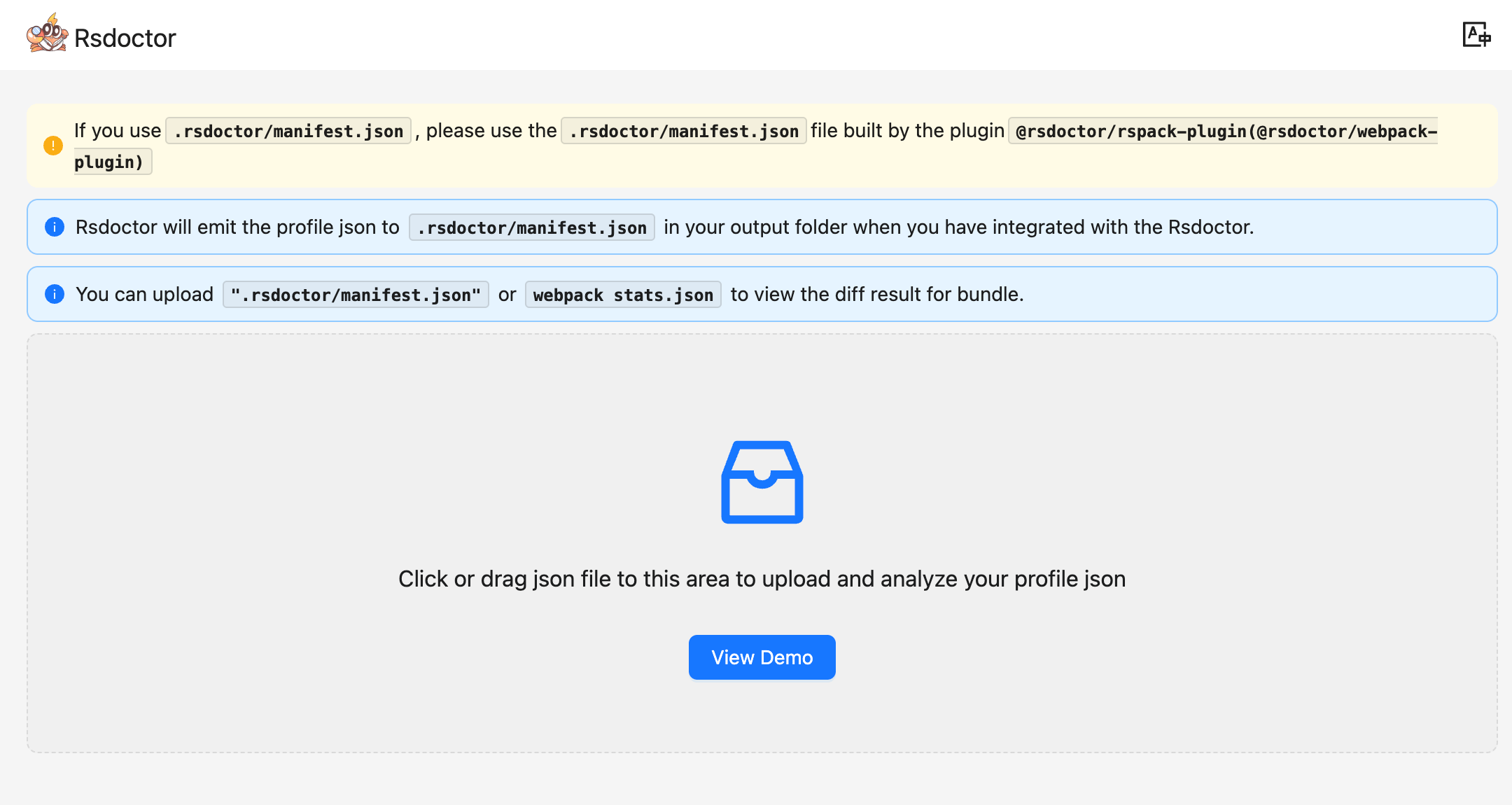
We plan to provide an online page for Bundle Diff analysis. You can upload **2 copies** of the [manifest.json](/config/options/term.md#manifestjson) produced by Rsdoctor on the page, one as the Baseline and the other as the Current. By clicking Start Diff, you can enter our analysis page.
## User guide
### Feature overview
In the Bundle Diff module, you can see the comparison of information between the two build bundles, including:
- **total size changes**
- **size changes of different file types**
- **initial bundles size changes**
- **changes in the number of duplicate packages**
- **changes in the number of NPM Packages**, and more.
In addition to the above data overview, we can also perform more in-depth data query and analysis through the **details list** module at the bottom of the page.
### Terminology
| Term | Description |
| -------------------------------- | -------------------------------------------------------------------------------------------------------------------------- |
| Baseline | Represents the **reference data source** |
| Current | Represents the **target data source** to be compared with the Baseline |
| Asset / Assets | Represents the **build files** |
| Bundle Size | Represents the **total size** of all files in the build |
| Total JS | Represents the total size of all `.js` files in the build |
| Initial JS | Represents the total size of all **first screen** `.js` files in the build |
| Total CSS | Represents the total size of all `.css` files in the build |
| Initial CSS | Represents the total size of all **first screen** `.css` files in the build |
| Image | Represents the total size of all `.png`/`.jpg`/`.svg`/`.webp`/`.jpeg`/`.gif`/`.bmp` files in the build |
| Font | Represents the total size of all `.ttf`/`.fnt`/`.fon`/`.otf` files in the build |
| Media | Represents the total size of all `.mp3`/`.mp4`/`.avi`/`.wav`/`.flv`/`.mov`/`.mpg`/`.mpeg` files in the build |
| HTML | Represents the total size of all `.html` files in the build |
| Duplicate Packages | Represents the **total number of duplicate packages** in the build |
| Modules | Represents the total number of modules in the build |
| Packages | Represents the total number of **NPM Packages** in the build |
| New | Represents **newly added** items, i.e., **not present in Baseline but present in Current** |
| Deleted | Represents **removed** items, i.e., **present in Baseline but not in Current** |
| Changed | Represents items that **only changed in content**, i.e., **present in both Baseline and Current but with content changes** |
| Parsed Size | Represents the **final size** of the build bundles |
### Instructions
#### Dashboard
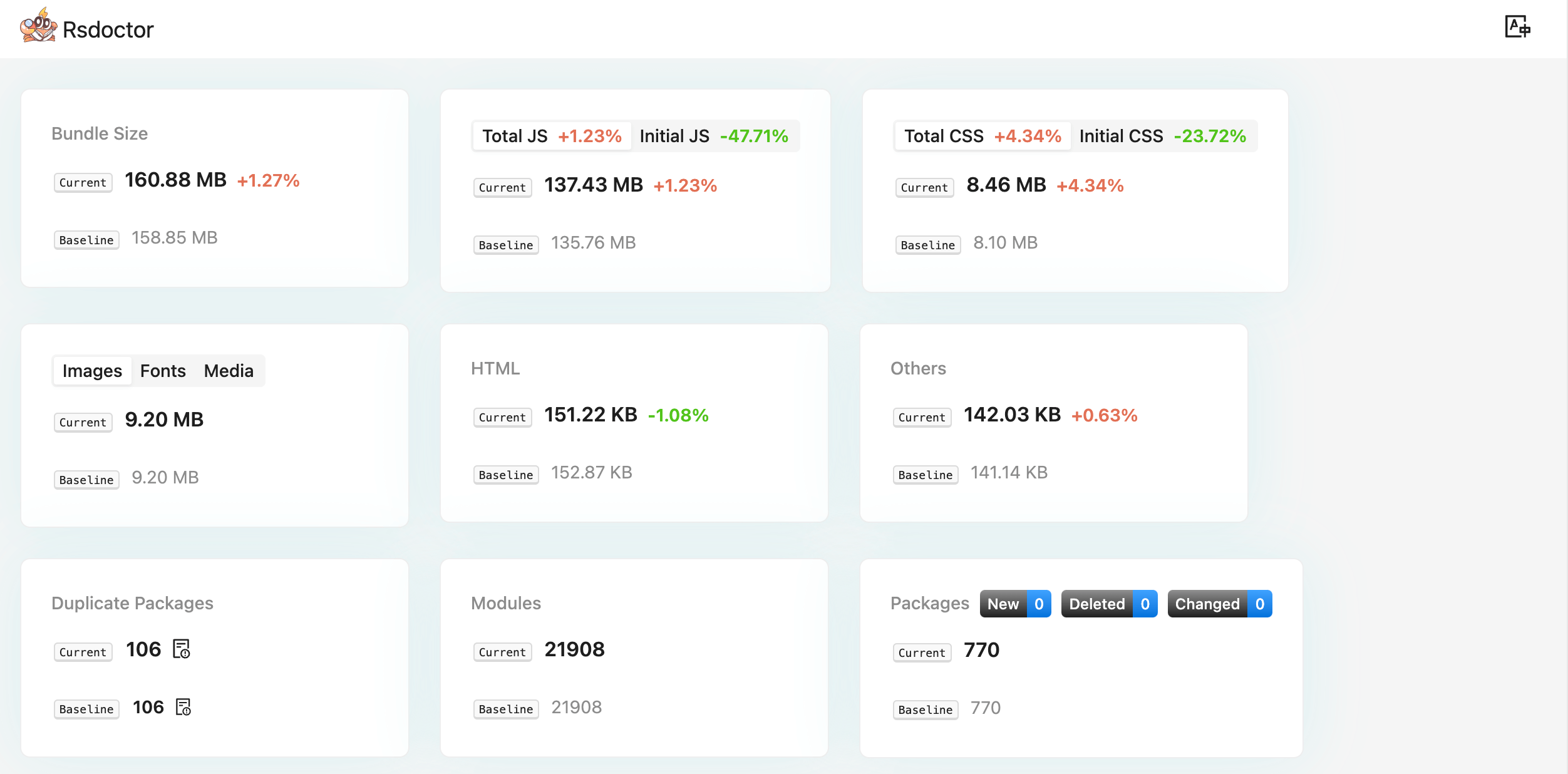
At the top of the page, we can see many data points composed of different cards, including the following information:
- **Bundle Size** includes the total size of the two builds and the change rate.
- **Total JS | Initial JS** includes the total size and change rate of all JS and first screen JS in the two builds.
- **Total CSS | Initial CSS** includes the total size and change rate of all CSS and first screen CSS in the two builds.
- **Image | Font | Media** includes the size and change rate of image, font, and media files.
- **HTML** includes the size and change rate of HTML files.
- **Others** represents the size and change rate of all other files not mentioned above.
- **Duplicate Package** represents the number of duplicate packages in the two builds. Clicking on it allows you to view the details of the duplicate packages.
- **Modules** represents the number of modules in the two builds.
- **Packages** represents the total number of NPM Packages in the two builds, as well as the number of new, deleted, and changed packages.
#### Overview
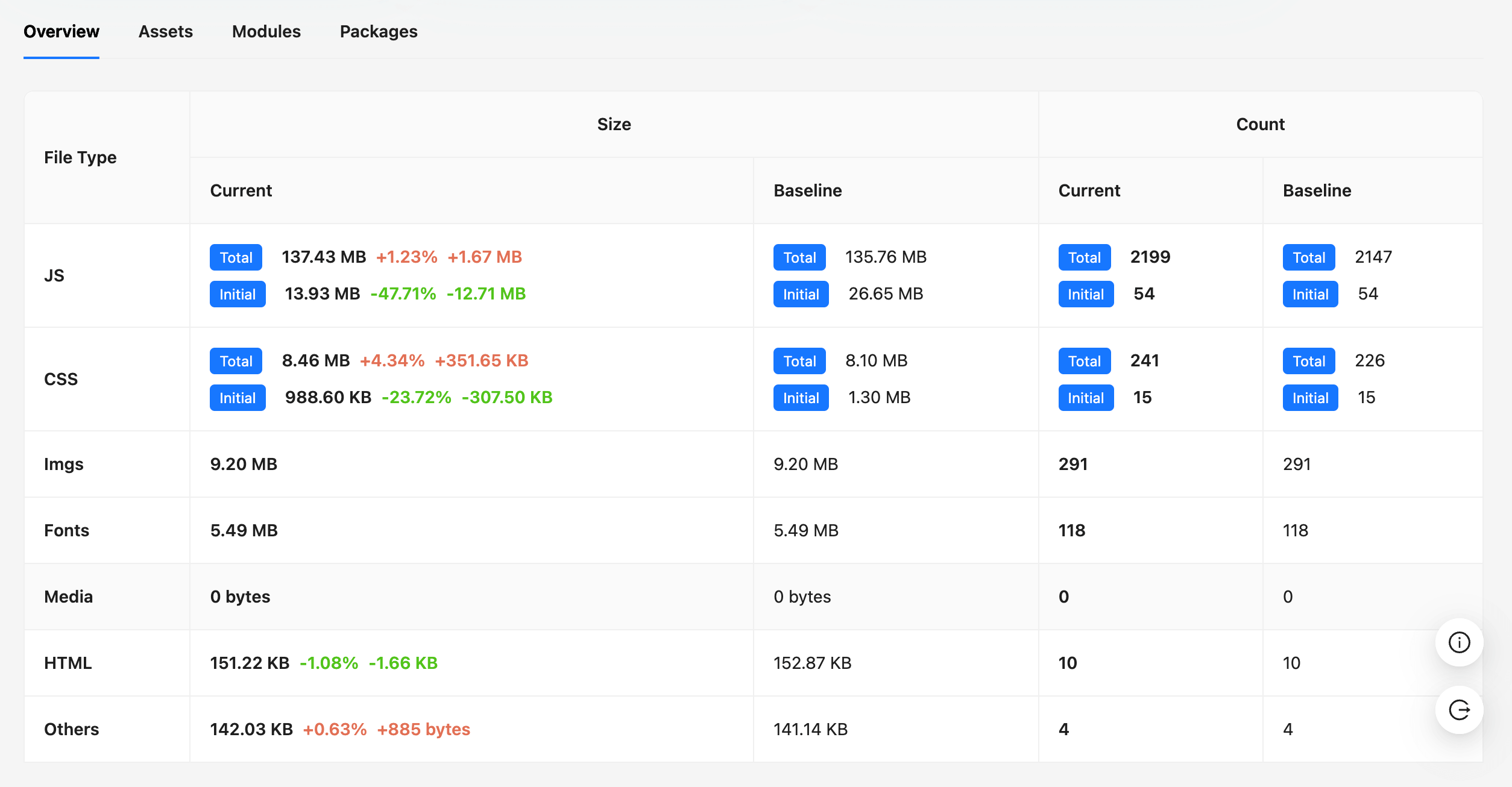
In the Overview module, we can see the **size**, **quantity**, and **change rate** of different **file types**.
#### Assets
:::tip
When displaying Asset names, Rsdoctor tries to remove the hash values from the build file names to facilitate comparison.
:::
In the Assets module, we can see the **size** and **change rate** of the build files.
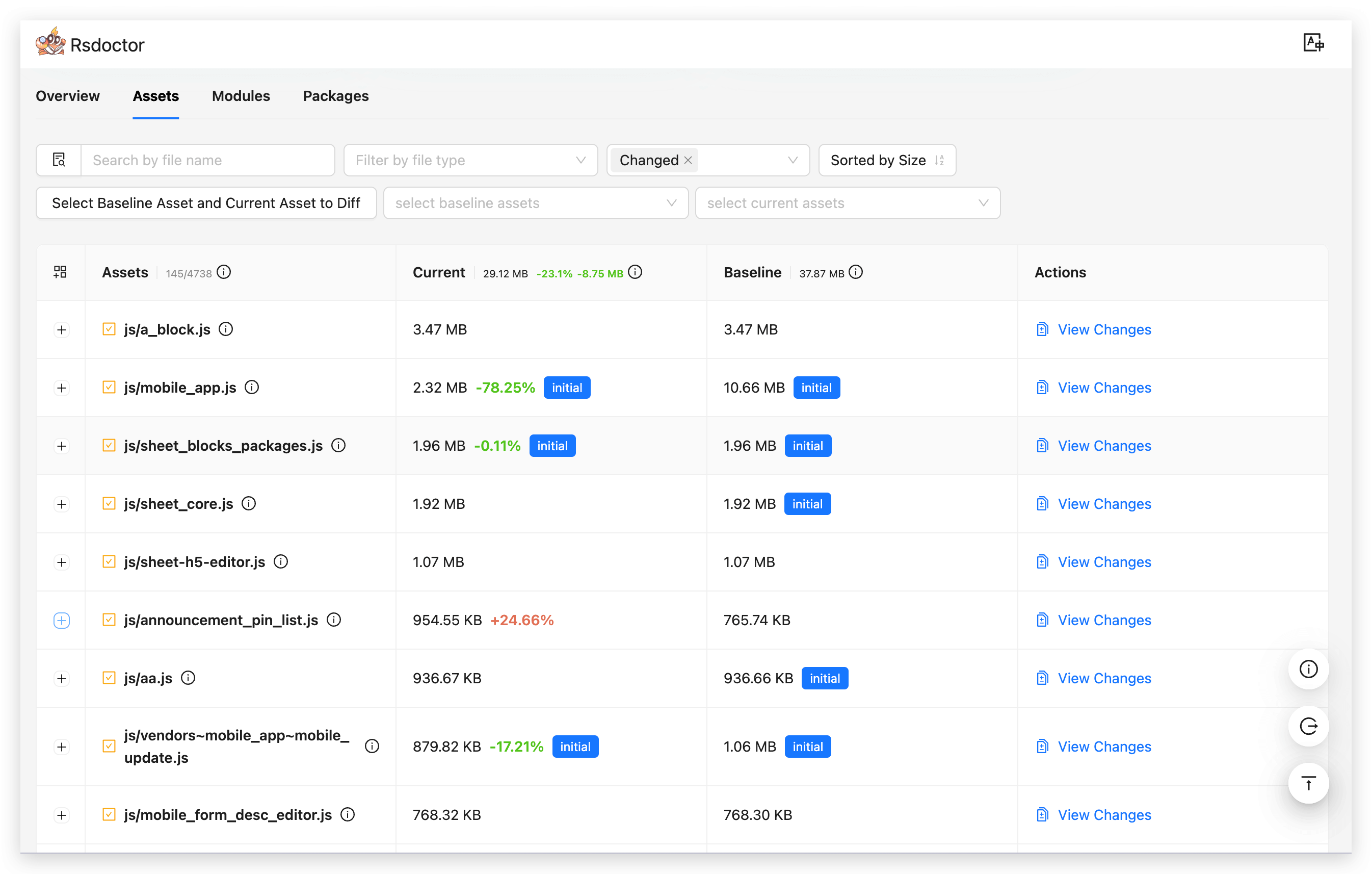
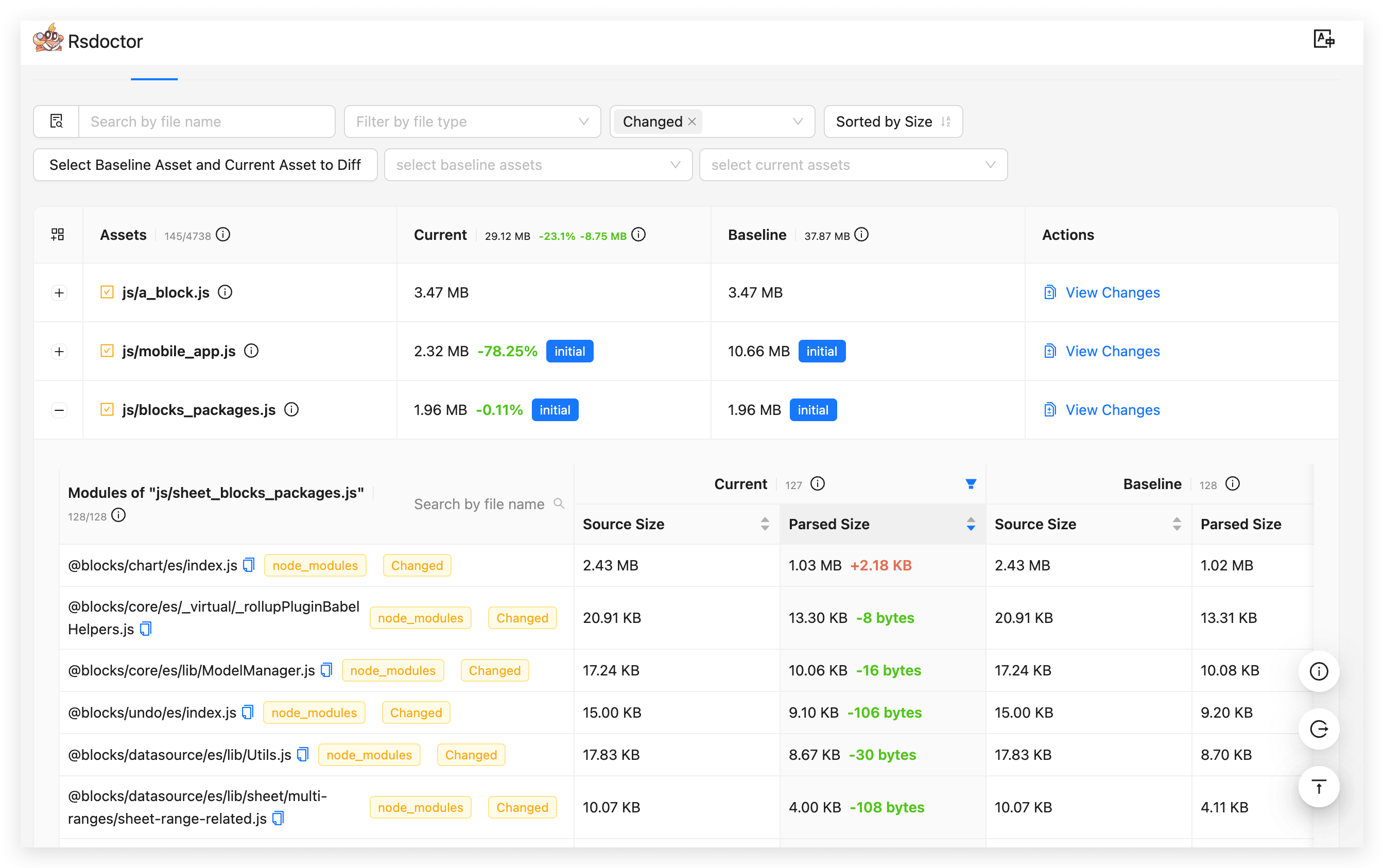
By **clicking** the **"+" button** in front of the list items, you can expand to see the **list of modules** contained in the corresponding Asset (i.e., `Modules of "***"`), which shows the **size** and **change rate** of the modules.
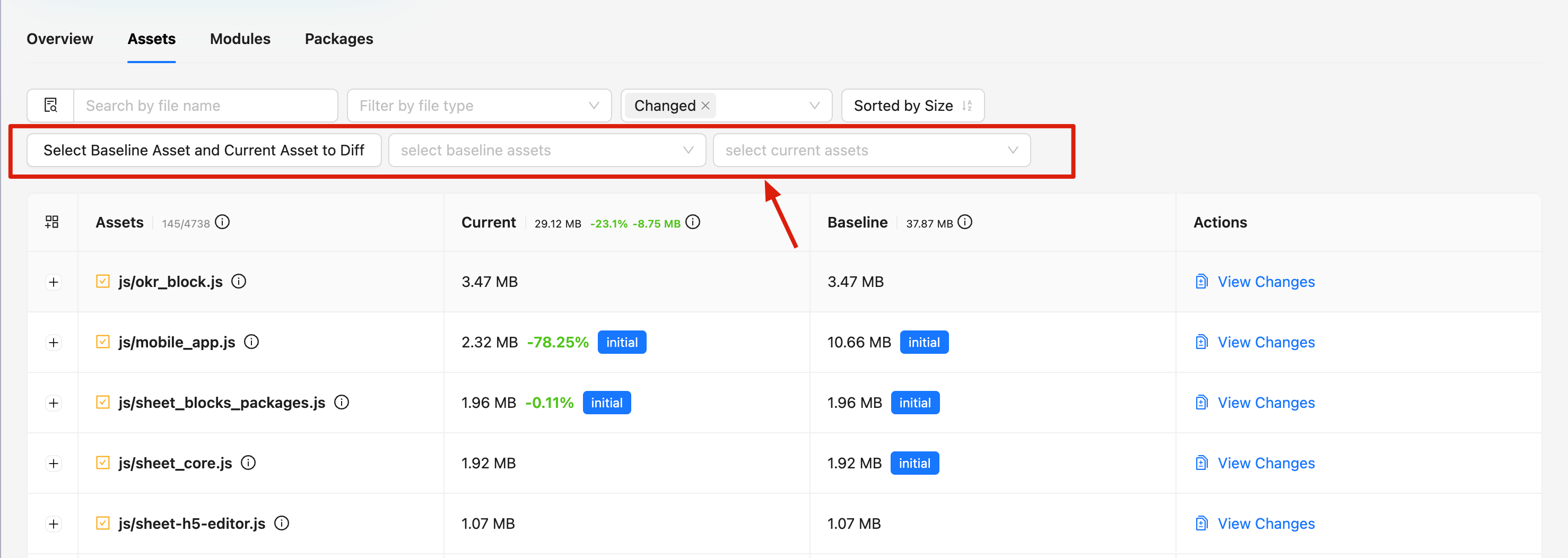
Rsdoctor is compatible with the situation where Assets files have **the same name but different hashes**. However, for Assets with **different names generated by splitting packages**, Rsdoctor cannot identify their comparison objects.
Therefore, the Rsdoctor Assets module also provides a select component, allowing you to **manually select the Assets resources you want to compare**.
#### Modules
In the Modules module, we can see the **name**, **size**, and **change rate** of all modules contained in the two builds.
The `New` / `Deleted` / `Changed` tags indicate whether the module is newly added, deleted, or just changed in the `Current` build.
The `node_modules` tag indicates that the module's path contains `/node_modules/`.
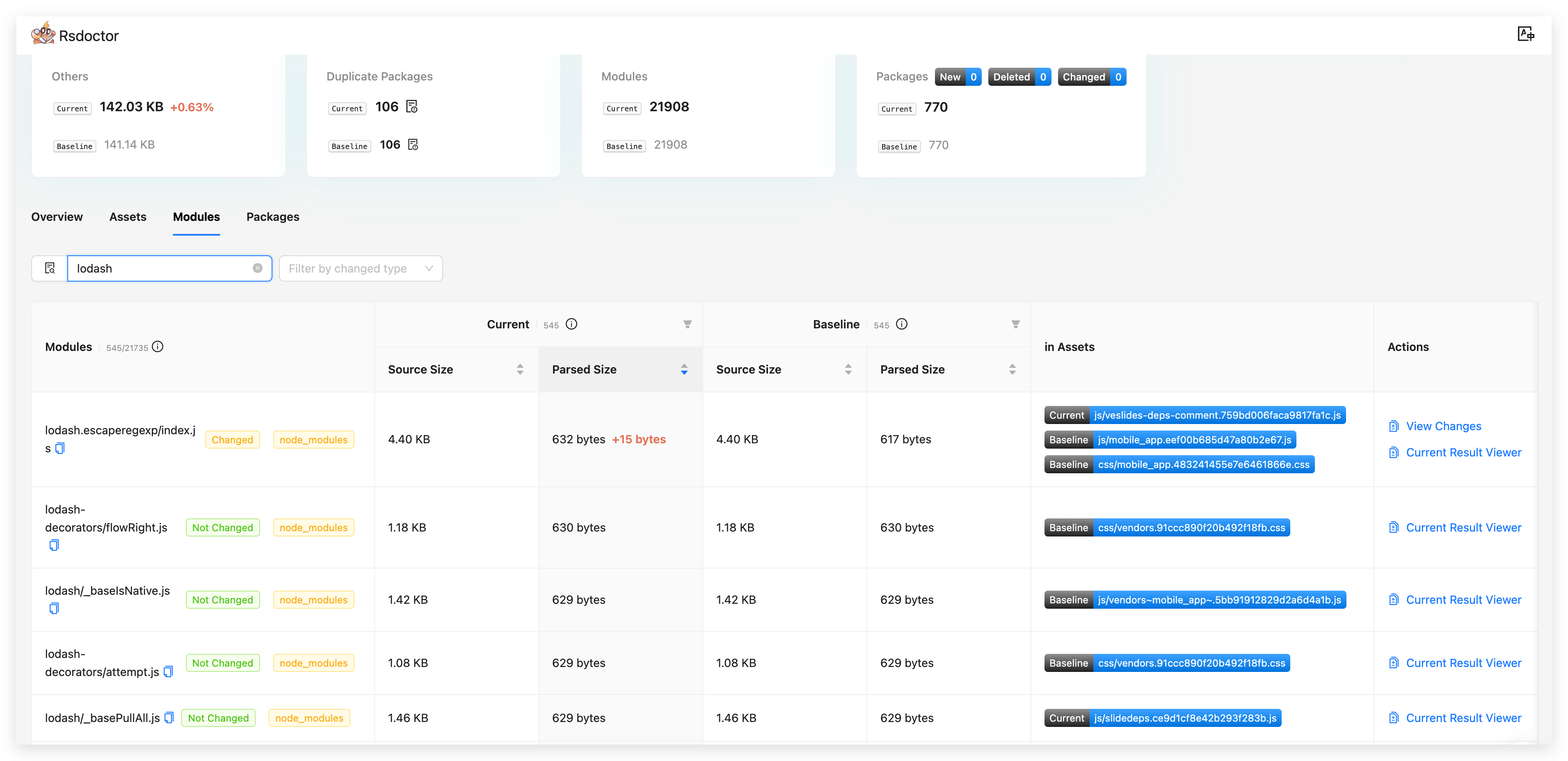
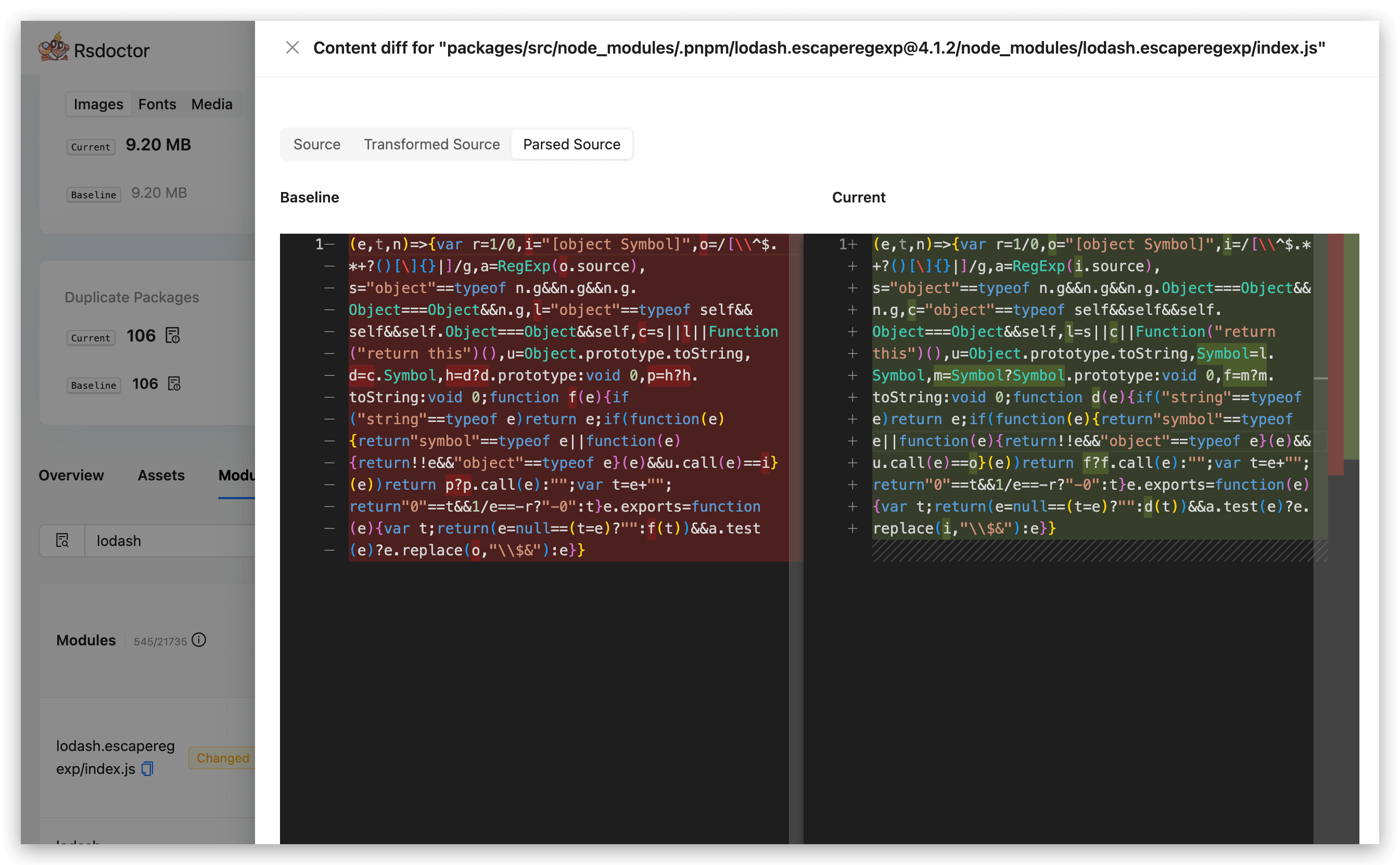
On the right side of the list items, you can view the module code changes by clicking the corresponding "View Changes" button.
**Code comparison includes several types of data:**
- **Source Code: Source code data.** Available in `Normal` mode, not available in `Lite` mode, and not available in `Brief` mode.
- **Bundled Code: Built code.** Available in `Normal` mode, available in `Lite` mode, and not available in `Brief` mode.
#### Packages
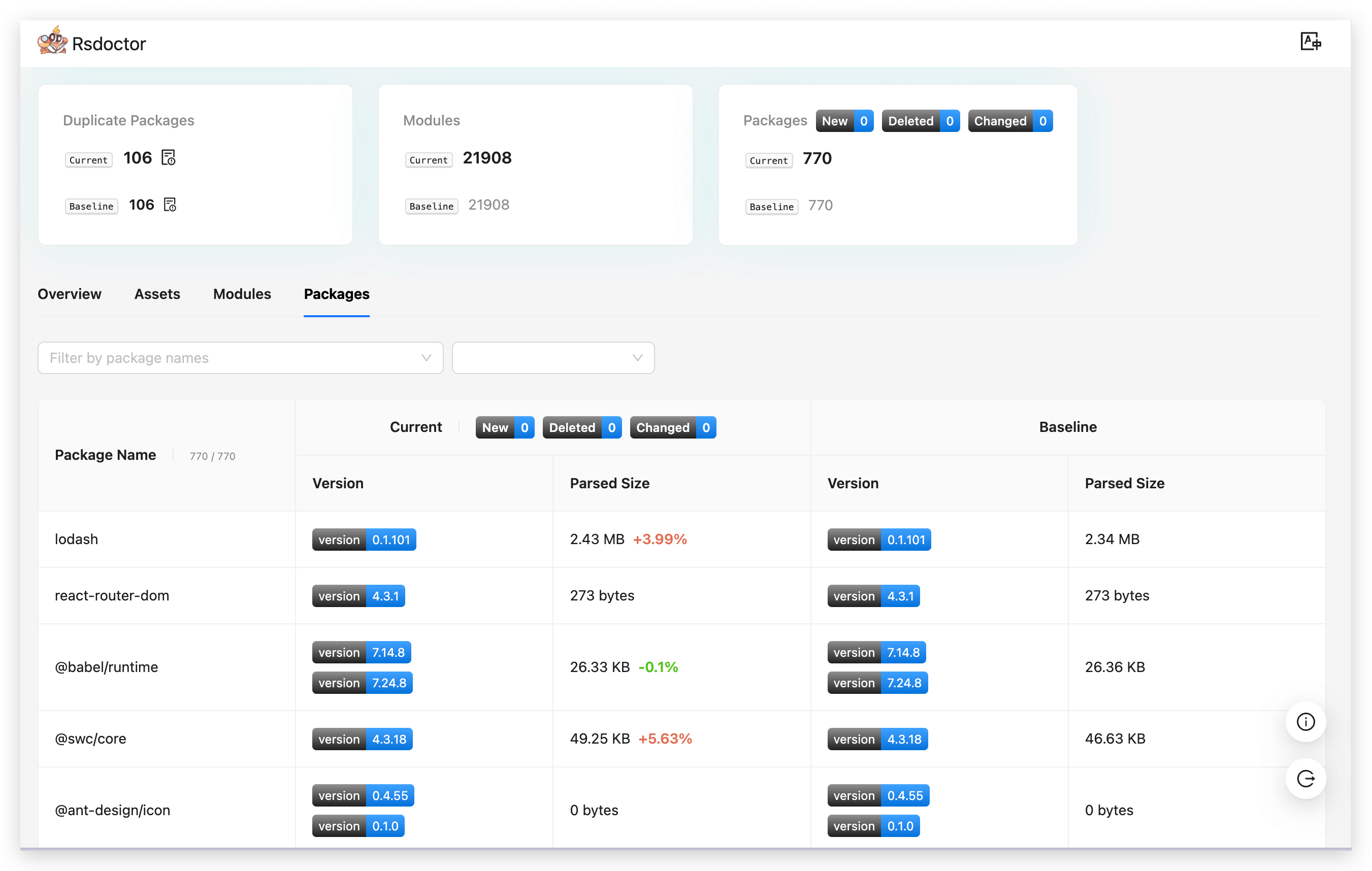
In the Packages module, we can see the **list of all NPM Packages** contained in the two builds. Each list item includes the **Package Name**, **Version**, and **Parsed Size** (final size after packaging).